
Review your package price and request one-time document branding removal.
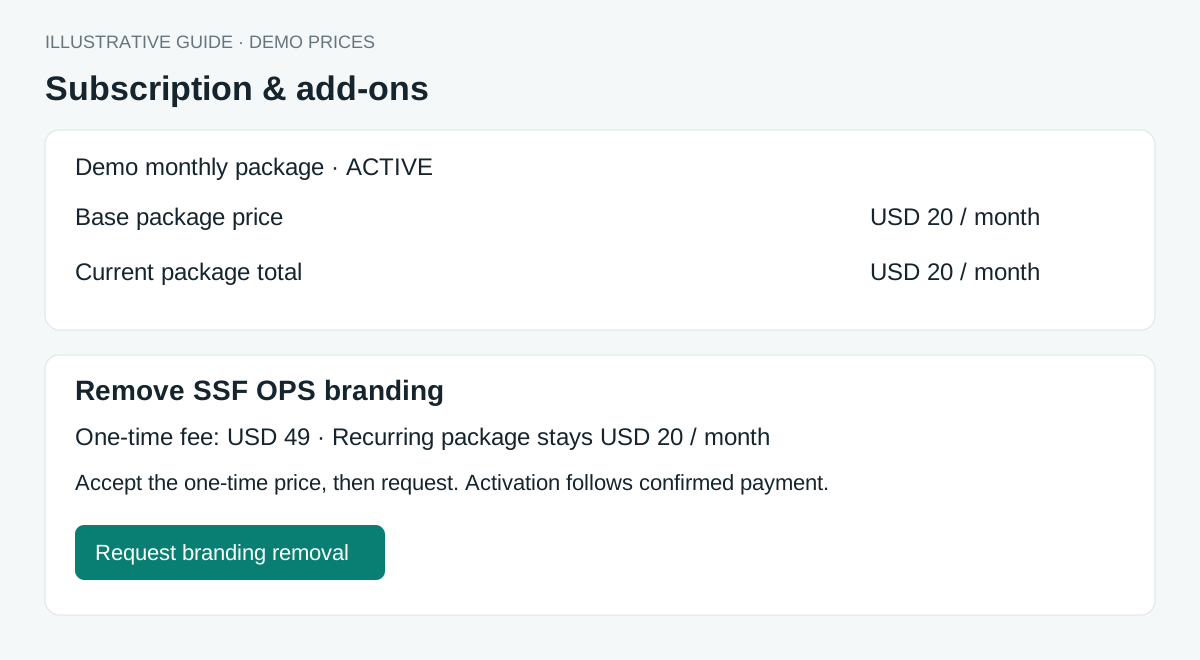
How to use this function
- Open Organization → Subscription & add-ons.
- Review the available offer, charge type, removal fee and recurring package price. A one-time fee is not multiplied for annual billing.
- If no offer is available, contact your administrator for an agreed price.
- With billing management permission, accept the displayed terms and choose Request branding removal.
- Arrange payment with your administrator. Branding and current pricing remain unchanged while pending.
- After payment confirmation, a one-time purchase removes branding without changing the recurring package total. It stays with this company after package changes. Existing recurring agreements remain recurring.
- Cancel a pending request if you do not wish to proceed.
Fields and controls shown in the demo
- Package name and status
- Base package price
- Billing currency and cycle
- Current recurring total
- One-time or recurring charge type
- Agreed removal fee
- Price agreement
- Request status
- Cancel request
Guide updated 2026-10-11. Release changes must update this page and its image together.