
Offer work to a direct partner, follow delivery and review completion on the original company work order.
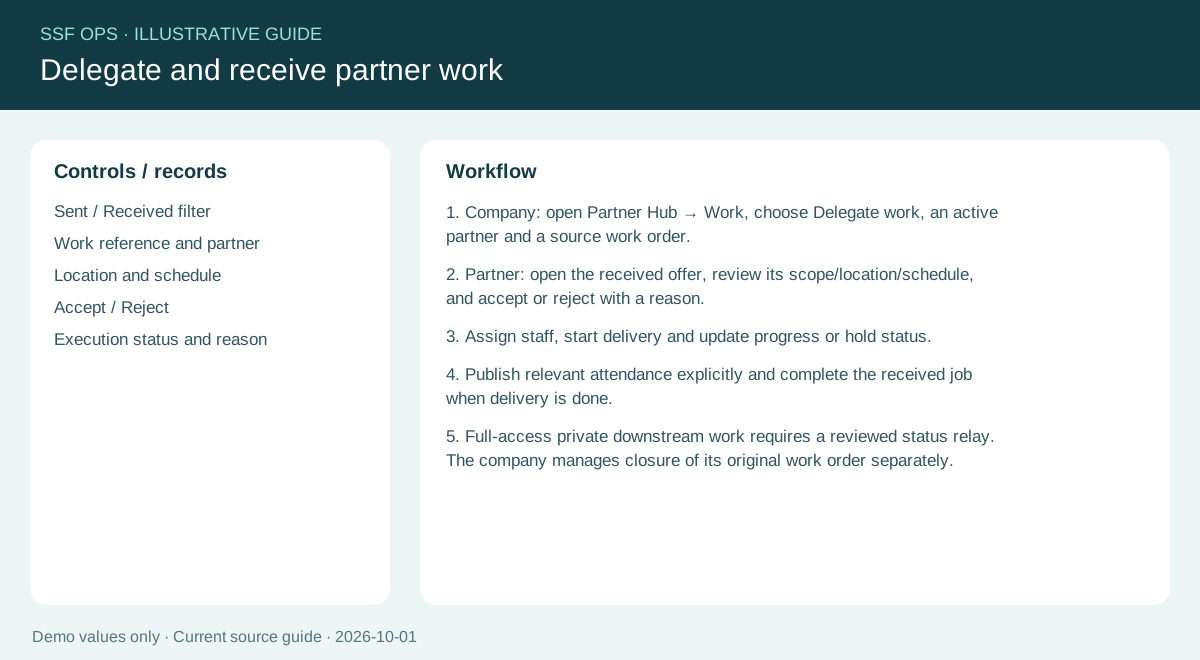
How to use this function
- Company: open Partners Hub → Work, select an active partner and an open work order, then Delegate work. Different work orders can be offered to the same partner.
- Only one active or completed offer for the same source and partner is allowed. Rejected or cancelled offers can be offered again; earlier attempts remain in history.
- Partner: open received work, enter a reason of at least five characters and accept or reject.
- Assign your own staff and move accepted work through In progress, On hold and Completed. Every action requires a reason.
- Company: open the original work order or Supervisor Review. Review each direct partner completion with a fresh reason. Approve delivery or return it for correction.
- Approve & close is available for partner-only work once every active partner delivery is approved. When internal staff are also assigned, approve the partner separately and use a fresh internal completion review. Existing old approvals do not close new work.
- An unanswered sent offer can be cancelled with a reason. Private downstream work reaches the upstream party only after an explicit reviewed relay.
Fields and controls shown in the demo
- Sent / Received filter
- Work reference and partner
- Location and schedule
- Accept / Reject
- Execution status and reason
Guide updated 2026-10-03. Release changes must update this page and its image together.